

Integrating AutoCAD With Your Enterprise Business Systems (ERP, CRM, GIS)
Efficiency Projects Pay Off With Less Duplicated Effort And Time
Posted by Charlie Recksieck
on 2026-03-05
AutoCAD should not live in a silo. The great news for executives, managers and project design-makers: Integration projects often pay for themselves faster than expected AND it’s not that hard to calculate the return on investment.
This isn't just for Fortune 500 level companies with massive infrastructure; if you have a small 5-6-person firm, even then there are separate work "silos" that can talk to each other better.
A smart system avoids duplication of effort. One great way to detect improvable inefficiencies is if the same data is being entered in two places
Example: An architect put room dimensions in his/her AutoCAD floorplan.
If a project manager or procurement specialist have to copy or manually enter the same information somewhere is - this should be fixed.
The same goes for elements inside two different AutoCAD drawings in different departments -
Example: Urban planning departments may have a person who maintains their full GIS system current and they manually re-draw or trace the same streets, sidewalks, and utilities in AutoCAD that a planner just did for a new project.
That's a huge, wasted, duplicated effort.
This article aims to share some practical ways to integrate AutoCAD with other systems in other departments of the company.
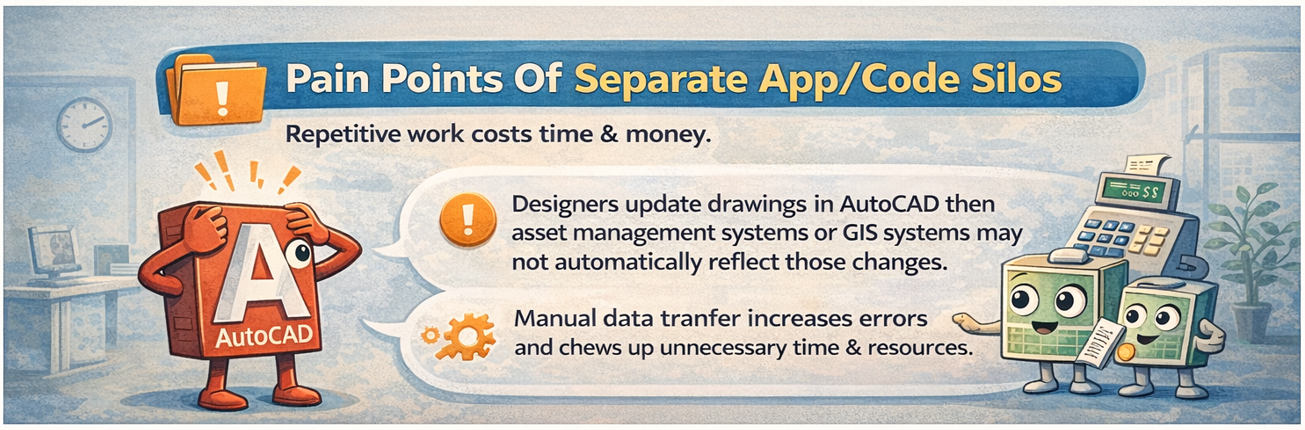
Pain Points Of Separate App/Code Silos
This applies to a lot of industries. I've done a lot of work with dozens of utility companies in this area but the issue is a big deal in sectors such as manufacturing, architecture, city planning, interior design, engineering, aerospace, etc.
The problems are the same across the board - repetitive work is a costly inefficiency.
- Designers update drawings in AutoCAD then asset management or GIS systems may not automatically reflect those changes.
- Manual data transfer increases errors and chews up unnecessary time and resources.
- Manual data transfer increases errors and chews up unnecessary time and resources.
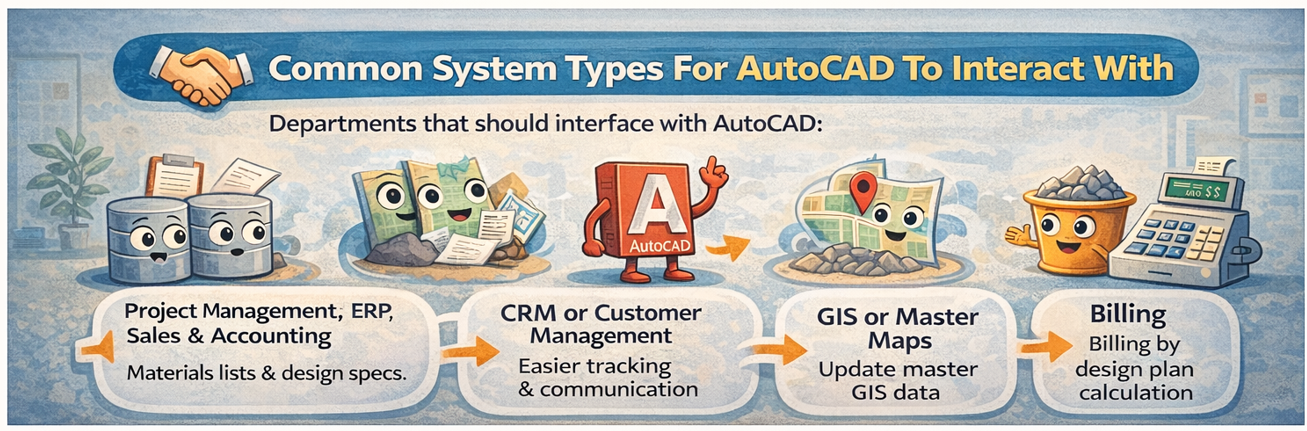
Common System Types For AutoCAD To Interact With
When we talk about these other silos that should ideally interface with and share data with include
Project Management, ERP, Sales & Accounting - They share materials lists, and design specifications directly with inventory or project management systems.
CRM or Customer Management - Key info in design drawings should be common with customer projects or contracts for easier tracking and client communication.
GIS or Master Maps - The designer usually has started out with bringing GIS info into their project to start for existing streets, buildings, etc. After doing their AutoCAD work that work should be moved back to the master GIS after "as-built" modification is done.
Environmental & Compliance - I’ve built a couple of environmental impact interfaces for electric companies. Pretty much all of the data the environment department needed was in a new design ACAD drawing.
Billing - Especially if estimates can be made entirely by calculation of new design plans in a DWG.
Material Warehouse - Sophisticated rules-based design tools in AutoCAD can come up with accurate material lists. It's an unforced error if this isn't automated.
CRM or Customer Management - Key info in design drawings should be common with customer projects or contracts for easier tracking and client communication.
GIS or Master Maps - The designer usually has started out with bringing GIS info into their project to start for existing streets, buildings, etc. After doing their AutoCAD work that work should be moved back to the master GIS after "as-built" modification is done.
Environmental & Compliance - I’ve built a couple of environmental impact interfaces for electric companies. Pretty much all of the data the environment department needed was in a new design ACAD drawing.
Billing - Especially if estimates can be made entirely by calculation of new design plans in a DWG.
Material Warehouse - Sophisticated rules-based design tools in AutoCAD can come up with accurate material lists. It's an unforced error if this isn't automated.
How To Integrate - Interface Methods
Yes, companies are aware this SHOULD be done. The harder question is HOW it would be done (actually, "How much will this cost to accomplish?" is the most important question for decision-makers).
There is no single "best" way to integrate AutoCAD with other systems. The right approach depends on how often data needs to move, how critical accuracy is, and how much automation your business is looking for (and ready to support). Some methods are simple and inexpensive; others are more robust but require more upfront investment. Here are a few methods:
Direct Database Linking - AutoCAD data can be stored in databases accessible by ERP or GIS software.
AutoCAD drawings are nothing but giant databases that the AutoCAD app knows how to render into a visual design.
If you know what you're doing, you can pull data from a database in a .DWG file without needing AutoCAD to be open.
We wrote about this previously.
APIs & Middleware - Using custom-written APIs (click for our API definitionto push/pull data between AutoCAD and the other system. These can be APIs that can be called from either end; they can happen at URLs as web services or through more programmatic calls. APIs act as a black box so AutoCAD and business systems don't need to know about each other's internal details - which is great for costs and stability.
AutoCAD APIs - Programmers can leverage additional code that’s sitting in API’s particular to AutoCAD. I’ve written about these before in our "AutoCAD and APi’s" article.
File-Based Automation - Exporting DWG/DXF to compatible formats like XML or flat text files, then automated import into ERP/CRM/GIS.
Document Management Systems - Drawing DWG files can be pulled into document management systems like Sharepoint or Azure.
AutoCAD Plugins - There are several plugins inside AutoCAD that can send objects and data directly to other systems or query from external apps.
APIs & Middleware - Using custom-written APIs (click for our API definitionto push/pull data between AutoCAD and the other system. These can be APIs that can be called from either end; they can happen at URLs as web services or through more programmatic calls. APIs act as a black box so AutoCAD and business systems don't need to know about each other's internal details - which is great for costs and stability.
AutoCAD APIs - Programmers can leverage additional code that’s sitting in API’s particular to AutoCAD. I’ve written about these before in our "AutoCAD and APi’s" article.
File-Based Automation - Exporting DWG/DXF to compatible formats like XML or flat text files, then automated import into ERP/CRM/GIS.
Document Management Systems - Drawing DWG files can be pulled into document management systems like Sharepoint or Azure.
AutoCAD Plugins - There are several plugins inside AutoCAD that can send objects and data directly to other systems or query from external apps.
We always tell our clients that they can dream up any possible communication between two systems and a good team can make this happen. We made a process for a utility company where a design project's status was updated and file ownership transferred via sending an email.
Anything can be done - although cost, reliability, and maintenance determine what should be done.
General Advice For Wading Into This
Start Small: integrate the most critical workflows first -OR- what you might consider to be the easiest interface to write.
Data consistency: define which system is the "source of truth"; meaning that when there is a conflict of two different systems' data, is one always correct, or is it a matter of which is more recent?
Data consistency: define which system is the "source of truth"; meaning that when there is a conflict of two different systems' data, is one always correct, or is it a matter of which is more recent?
Conclusion
Recap: Integrating AutoCAD with asset management, GIS or really any plausible department saves time, reduces errors, and ensures all teams work from the same data.
Never type the same data in two different places is a good place to start.
The cost of software projects can scare the executives who sign the checks, but the good news is that once you identify the pain points to be fixed, it's not that hard to calculate potential man hours that would be saved. Putting a dollar value on the improvements make it easy to decide whether to embark on an interface project or not.
Take a look at your workflow and brainstorm what could really save you time. We've been through this a lot, so we're happy to help nudge you in the right direction.
Good luck!
